
Phillip NOVA
New to NOVA?
Start on the NOVA Mobile App, even if you plan to trade on a computer.
Start First-Time Setup ↓Already Using NOVA?
Where do I get my 2FA OTP?
For NOVA Web or the Desktop App, get your 2FA OTP from the NOVA Mobile App or an authenticator you’ve linked to NOVA.
First-Time Login Guide
Complete Steps 01–03 on your phone. If you’d also like to log in to NOVA Desktop Web or App, follow optional Step 04.
-
Step 01
Download the NOVA Mobile App
Why Start With The Mobile App?
Use it for first time login and change your initial password.
Using NOVA Desktop (Web or App)? Get your 2FA OTP from the mobile app or an authenticator you’ve linked to NOVA.
-
Step 02
Open Your Welcome Email
- From
- phillipfuturesit@phillipcapital.com.my
- Subject
- Welcome Aboard! Your Nova Account is Ready.
Open the email and have your Account Number and Initial Password ready for Step 03.
-
Step 03
Log In to the Mobile App and Change Your Password
Open the mobile app and enter the Account Number and Initial Password from your email. When prompted, create a new password.
New Password Requirements
Your new password must be at least 8 characters long and include characters from at least 3 of these 4 categories.
- Uppercase letter (A–Z)
- Lowercase letter (a–z)
- Number (0–9)
- Special character (such as
!or@)
You’re ready to use NOVA on your phone. From now on, log in to the mobile app with your Account Number and New Password.
-
Step 04 (Optional)
Log In to NOVA Desktop (Web or App)
Enter your Account Number, New Password, and 2FA OTP.
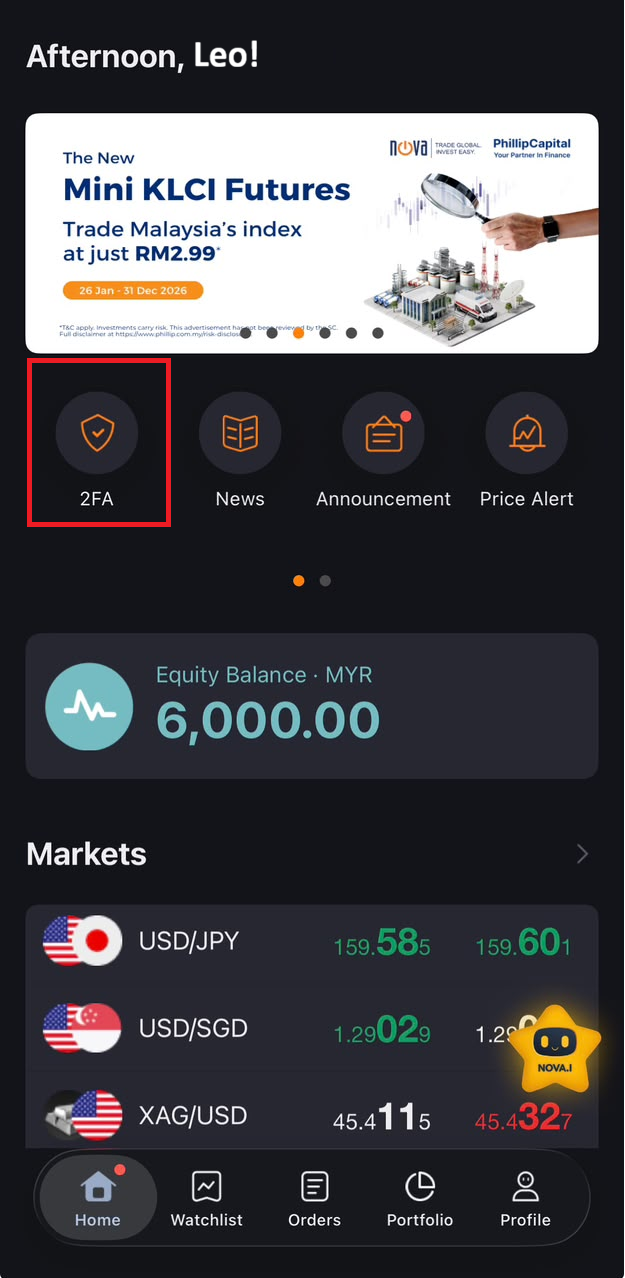
To get your 2FA OTP, open the NOVA Mobile App and tap 2FA on the Home screen.
Open NOVA Desktop Web ↗ NOVA Desktop App ↗
Which NOVA Version Should I Use?
| Version | Choose it if you want to… |
|---|---|
| Mobile App | Set up NOVA for the first time or trade from your phone. |
| Mobile Web | Use NOVA in your phone’s browser. |
| Desktop App | Trade in a dedicated application window on your computer. |
| Desktop Web | Trade on a larger screen without installing software on your computer. |
NOVA App Download
2FA OTP Methods & Setup
When you log in to NOVA Desktop (Web or App), get your 2FA OTP from the NOVA Mobile App or an authenticator you’ve already linked to NOVA.
- NOVA Mobile App First and future logins View 2FA Screenshot
- Google Authenticator Future logins after setup Google Setup Steps (PDF) ↗
- Microsoft Authenticator Future logins after setup Microsoft Setup Steps (PDF) ↗